Clean Architecture in React Native
Comments (0)
Views (0)
Likes (0)
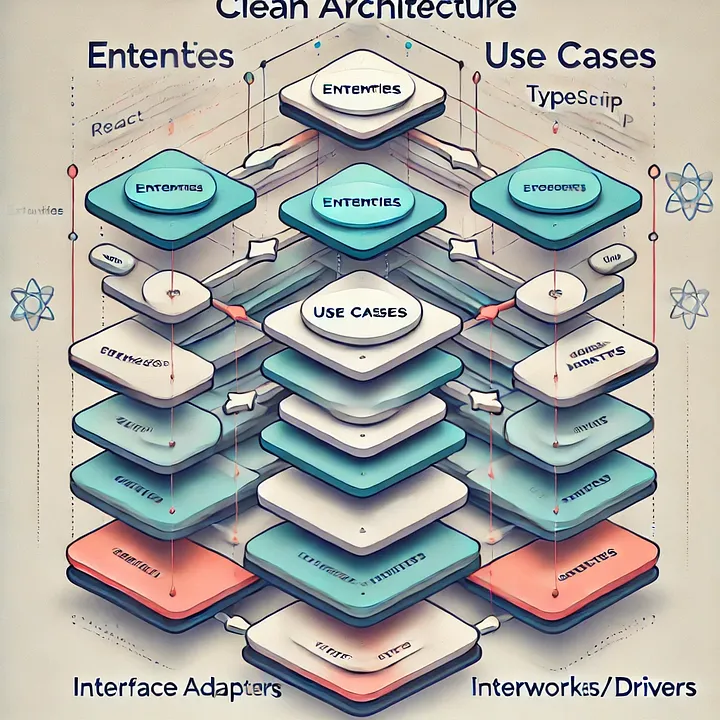
Clean Architecture emphasizes separation of concerns, enhancing code maintainability, testability, and scalability. This post will guide you in implementing Clean Architecture in a React Native project with TypeScript, including a practical example and recommended folder structure.
Clean Architecture is a software design pattern that emphasizes separation of concerns, making applications more maintainable, scalable, and testable. It organizes code into layers, each with distinct responsibilities, which helps in managing complexity and improving code quality. Implementing Clean Architecture in React Native involves adapting the principles of Clean Architecture to the unique requirements of mobile development. Here's how you can apply Clean Architecture in a React Native project:
Key Principles of Clean Architecture
1. Separation of Concerns:
o Each layer of the architecture has a specific role and communicates with other layers through well-defined interfaces.
2. Independence of Frameworks:
o The architecture should not depend on any particular framework or library. This helps in easily swapping out frameworks or libraries.
3. Testability:
o The architecture should support easy testing of each component in isolation.
4. UI Independence:
o The core business logic should be independent of the user interface, allowing for different UI implementations.
5. Dependency Rule:
o Dependencies should always point inward, from higher-level modules to lower-level modules. This means that business logic should not depend on UI details or external libraries.
Layers of Clean Architecture
Here's how you can structure a React Native application using Clean Architecture:
1. Presentation Layer
o Responsibilities: Handles user interface and user interaction.
o Components: React components, screens, and UI logic.
o Dependencies: Depends on the use case and state management but should not directly depend on data sources or business logic.
2. Domain Layer
o Responsibilities: Contains the core business logic and rules.
o Components: Use cases (or interactors), entities, and business logic.
o Dependencies: Does not depend on the presentation or data layers.
3. Data Layer
o Responsibilities: Manages data sources and data retrieval, such as network requests and local storage.
o Components: Repositories, data sources (e.g., APIs, databases), and models that represent data.
o Dependencies: Depends on the domain layer (use cases) but should not directly affect the presentation layer.
4. Framework and Drivers Layer
o Responsibilities: Contains external frameworks, libraries, and infrastructure.
o Components: React Native libraries, third-party services, and integrations.
o Dependencies: Depends on all inner layers but should be used by the data layer to fetch data.
Example Structure in a React Native Project
src/
|-- presentation/
| |-- components/
| |-- screens/
| |-- navigation/
| |-- state/
|
|-- domain/
| |-- entities/
| |-- usecases/
| |-- repositories/
|
|-- data/
| |-- models/
| |-- repositories/
| |-- datasources/
|
|-- frameworks/
| |-- network/
| |-- storage/
| |-- thirdPartyLibraries/
|
|-- app/
| |-- App.js
| |-- index.js
Detailed Breakdown
1. Presentation Layer:
o Components: Stateless and stateful components responsible for rendering the UI. Example: LoginScreen.js.
o State Management: Use libraries like Redux or Zustand to manage global state. Example: authSlice.js.
2. Domain Layer:
o Entities: Represents the core business objects. Example: User.js.
o Use Cases: Encapsulates business logic. Example: LoginUserUseCase.js.
o Repositories: Interface definitions for data operations. Example: UserRepository.js.
3. Data Layer:
o Models: Data models used for data transfer. Example: UserModel.js.
o Repositories: Implementation of repository interfaces defined in the domain layer. Example: UserRepositoryImpl.js.
o Data Sources: Sources of data, such as APIs or databases. Example: ApiUserDataSource.js.
4. Frameworks and Drivers Layer:
o Network: Handles network requests and configurations. Example: ApiService.js.
o Storage: Manages local storage. Example: AsyncStorage.js.
o Third-Party Libraries: Integrations with third-party services. Example: FirebaseService.js.
Implementation Example
Domain Layer:
// domain/entities/User.js
export class User {
constructor(id, name) {
this.id = id;
this.name = name;
}
}
// domain/usecases/LoginUserUseCase.js
export class LoginUserUseCase {
constructor(userRepository) {
this.userRepository = userRepository;
}
async execute(credentials) {
// business logic for user login
return await this.userRepository.login(credentials);
}
}
Data Layer:
// data/models/UserModel.js
export class UserModel {
constructor(id, name) {
this.id = id;
this.name = name;
}
}
// data/repositories/UserRepositoryImpl.js
import { UserModel } from '../models/UserModel';
export class UserRepositoryImpl {
constructor(apiDataSource) {
this.apiDataSource = apiDataSource;
}
async login(credentials) {
const response = await this.apiDataSource.login(credentials);
return new UserModel(response.id, response.name);
}
}
Presentation Layer:
// presentation/screens/LoginScreen.js
import React, { useState } from 'react';
import { Button, TextInput, View } from 'react-native';
const LoginScreen = ({ loginUserUseCase }) => {
const [email, setEmail] = useState('');
const [password, setPassword] = useState('');
const handleLogin = async () => {
await loginUserUseCase.execute({ email, password });
// Handle login success
};
return (
<View>
<TextInput placeholder="Email" value={email} onChangeText={setEmail} />
<TextInput placeholder="Password" value={password} onChangeText={setPassword} secureTextEntry />
<Button title="Login" onPress={handleLogin} />
</View>
);
};
export default LoginScreen;
Summary
Implementing Clean Architecture in React Native involves structuring your code into distinct layers: presentation, domain, data, and frameworks/drivers. This separation helps in managing complexity, improving testability, and maintaining a clear separation of concerns. Adapting Clean Architecture to React Native requires consideration of the unique aspects of mobile development, but the core principles of modularity and independence remain the same.

